

Course 3Ds MAX + Corona Renderer + Photoshop / Exterior PRO from CGBandit (English version)
We will teach you how to create effective, artistic and photorealistic exterior visualization. Tutorials are created for people who already know all basics of software like: Corona Renderer/3Ds Max/ Photoshop.
Access to the course
Price: $420 [ The course is now available to CGBClub members for free ]
- Video tutorials (master classes) with English subtitles. Total duration about 32 hours
- 3D scenes with workflow - 5 scenes you see below (3d max + Corona Render )
- Photoshop PSD working files (with post production of 3D scenes of exterior visualization )
- Plus another bonus, we will add you to secret chat where free 3D models are shared.
- CGBClub members are given access to a database of high-quality, newest and most relevant 3D scenes and 3D models on our marketplace ( CGBandit.com or Bendtrade.com at your choice).
- Access to the training video updates. We connect you to the opportunity to receive systematically updated new video tutorials and webinars on the course. We provide updated accompanying materials. Cheat sheets, manuals, checklists, and other additional training files. Software manufacturers are constantly releasing new versions of programs with new features. They remove old bugs and software errors, improve and modernize programs, and we bring you up to date with new developments and shoot new video tutorials, and bring you up to date. We take care of you by constantly updating the course and giving out new video lessons to improve and speed up the workflow.
Curatorial support for this course
Apart from access to the course, you can purchase our curatorial support both immediately, and after you become a member of CGBClub. The price of curatorial support is $500 for 2 months. And if you need more attention and help, you can always extend the support.
- Adding you to a closed group and online technical support and help chats. Where we will monitor the correctness of your perception of video lessons and algorithms of actions. Answer any questions that arise. Disassemble and improve your 3D visualizations, not only for graduation, but also for current work projects, which is very important and useful
- A shared online chat for all students, as well as technical support and assistance. There you can chat with the guys who also completed the course. The ability to receive answers and help in the same support chat.
- Our individual assistance in creating your graduation exterior 3D visualizations after viewing the course, there is no limit on the number of graduation papers you create. You can create at least a whole portfolio with our support.
- If necessary, our individual assistance is to call and connect to your computer to solve problems. If there is no way to solve your problem, use the online chat of technical support.
List of our video tutorials that will teach you about:
Lesson_1_Skattering 171 min
Lesson_2_Skattering_practice 119 min
Lesson_3_Lighting_general 194 min
Lesson_4_Postwork_general 162 min
Lesson_5_Perspective_Camera_matching 110 min
Lesson_6_Scene_1_Intro 24 min
Lesson_7_Scene_1_Lighting 18 min
Lesson_8_Scene_1_Texturing_part_1 132 min
Lesson_8_Scene_1_Texturing_part_2 134 min
Lesson_9_Scene_1_Materials 128 min
Lesson_10_Scene_1_Render_and_Postwork 173 min
Lesson_11_Scene_2_Intro_and_Lighting 35 min
Lesson_12_Scene_2_Texturing_169 min
Lesson_13_Scene_2_Materials_120 min
Lesson_14_Scene_2_Post-correction 168 min
Lesson_15_Scene_3_Lighting_and_materials 91 min
Lesson_16_Scene_3_Post-correction 49 minutes
Total: 1897 minutes = 31 hours 37 minutes
- Algorithms for workflow of creating an effective 3D visualization of the exterior.
- Material creation in Corona render (4 scenes) that we present on our course.
- Lighting schemes and combinations for different moods.
- Post production of exterior render in Photoshop.
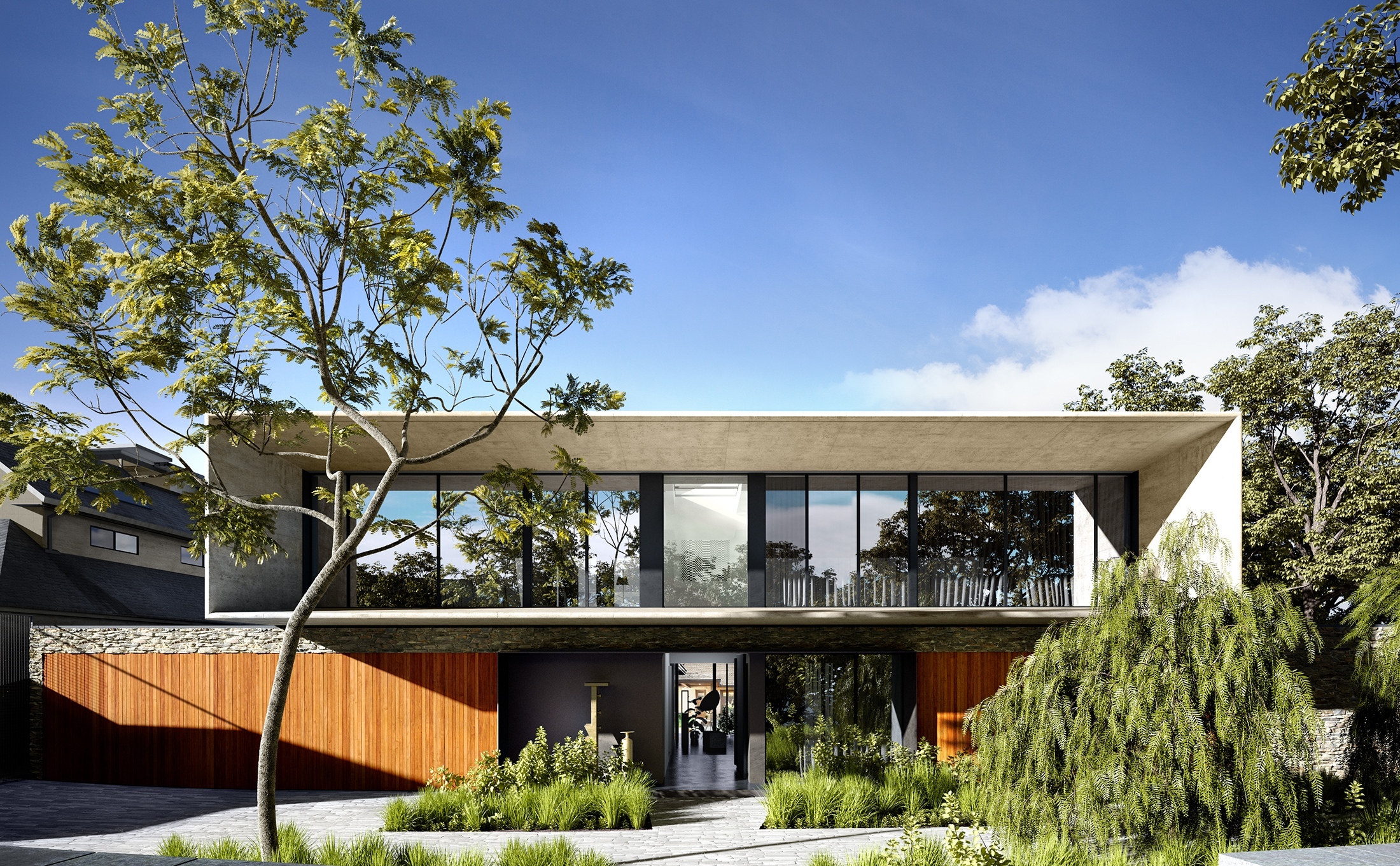
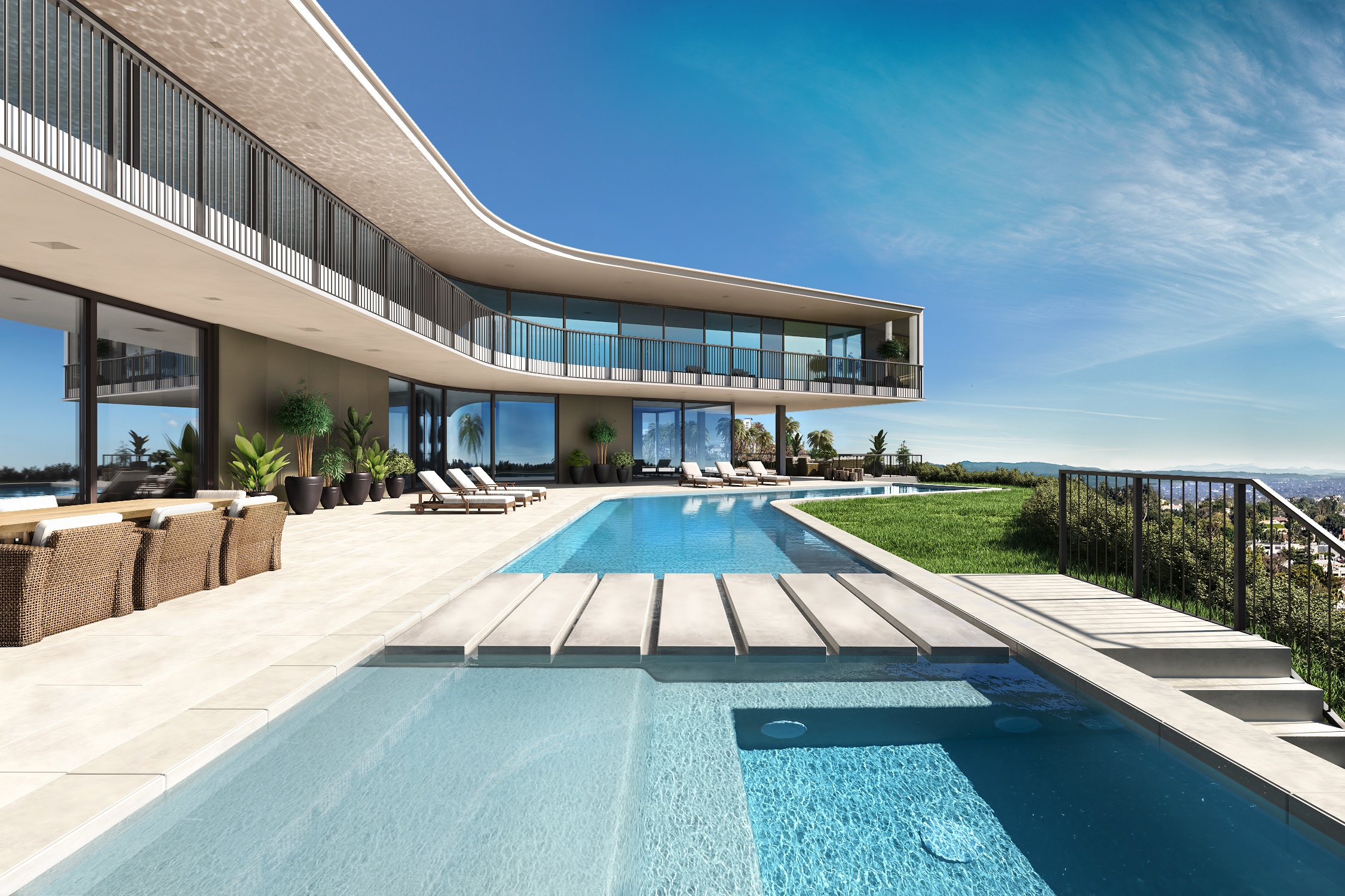
Scenes and examples of 3D visualization level that you will learn:
3ds max & Corona Renderer & Photoshop CC
Visualization: СGBandit educational course
Reference image: Render Matt Gibson Architecture
Reference image: Newtown House by Kohei Yukawa and Hiroto Kawaguchi
3ds max model + Photoshop PSD working files and other educational materials will stay with you forever!



Time limits and limits for the training course
After you become a member of CGBClub, all the training material is immediately available to you.
- As long as you are a member of CGBClub, there are no limits on watching instructional videos of the course lessons. Watch the course as much as you want, at a time convenient for you, and at a pace convenient for you. You can review the video tutorials as much as you want.
The video is protected by a special program to protect intellectual property from free distribution: Infoprotector. It allows you to view video tutorials, after you enter an activation key that identifies only you.
Access to the course via CGBClub
In order to start studying and join CGBClub, write a personal message to the author, the head of the educational project "CGBandit" Valentin Kuznetsov: https://www.cgbanditcourse.com/contact-us